How I Hacked my Bontrager Bike Lights
How I hacked my set of Bontrager bike lights to unlock Bluetooth functionality.
Jul 19, 2023 •
5 min •
1036 words
Table of Contents
Tags
Backstory #
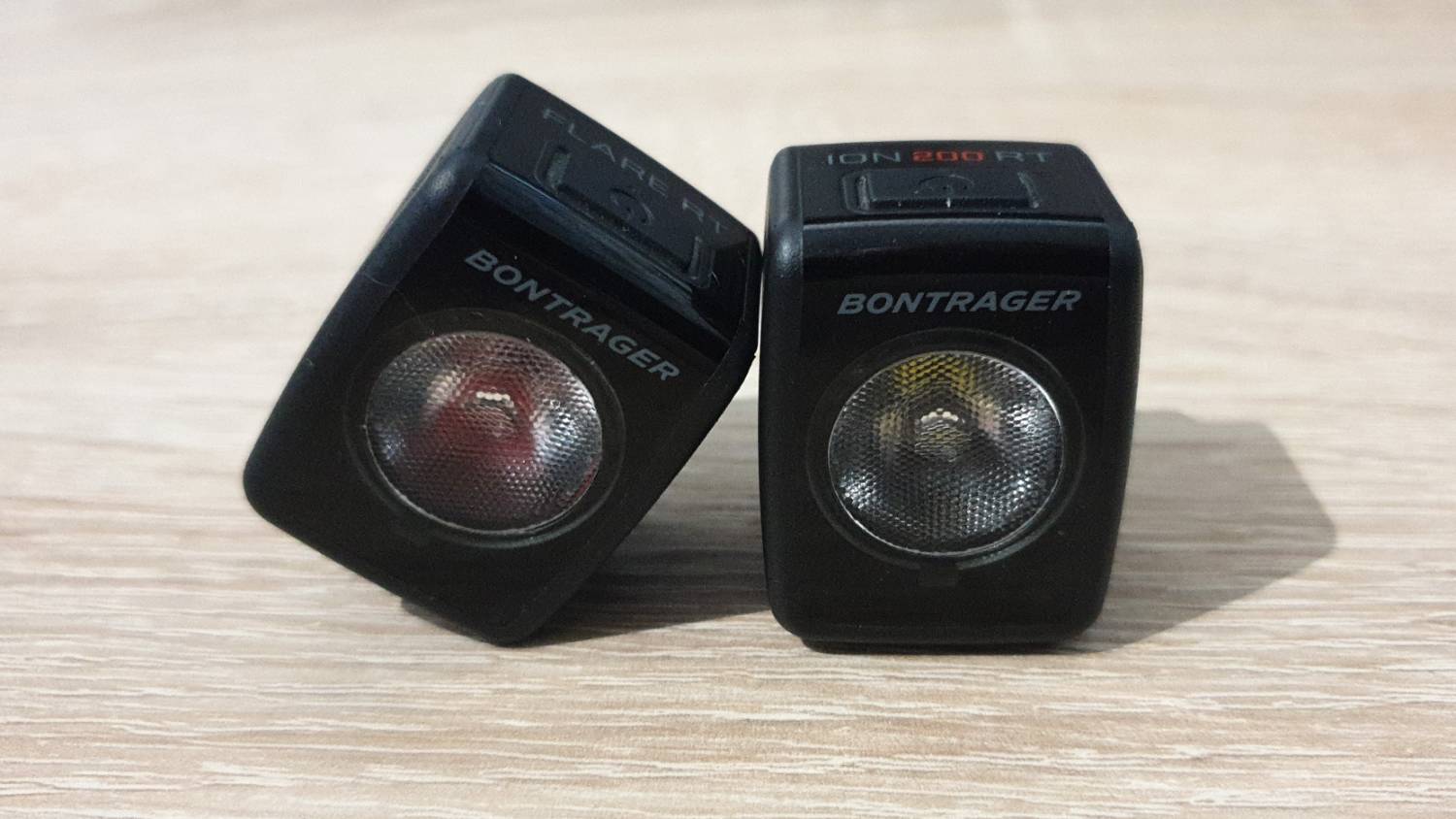
I purchased a set of two lights about a year ago for my bicycle; the Bontrager Ion 200 RT and Bontrager Flare RT. Although they have a few design aches, I still think they’re the best bike lights on the market.
They contain a Bluetooth ANT+ radio, which is the subject of this article.
Trying to get Bluetooth to work #
I wanted to take advantage of the Bluetooth feature present in these lights, but unfortunately, Bontrager has seemingly locked the ability to actually use it behind the requirement of purchasing a compatible Garmin® cycling computer or the obscenely expensive Bontrager Transmitr Wireless Remote.
The idea is that when you’re about to set off on your bike, you will immediately turn on your cycling computer, which will then automatically turn on your two bike lights using Bluetooth. Instead of manually turning on three devices, you only have to turn on one. Wireless control of light mode and brightness is also possible.
While the intended functionality of the Bluetooth radio could be helpful, without a compatible Garmin® cycling computer or Bontrager Transmitr Wireless Remote, you’re out of luck. You can’t use any of the Bluetooth-enabled features. You can’t even link the two lights together over their built-in Bluetooth to achieve the previously mentioned functionality.
Trying to find another way #
I searched online and found nothing but two mobile apps that may have had the functionality I was after. Both apps, Trek Central and Garmin Connect, immediately asked me to open an account with them with no way to proceed otherwise. I uninstalled them immediately out of principle. After checking online, I found they did not allow for control of the lights.
Hacking the lights #
After giving up on the intended way of using Bluetooth to control these lights, I resorted to giving it a bash with my Linux terminal. I’ve never used Bluetooth on Linux, nor was I familiar with advanced Bluetooth tools such as bluetoothctl, but it was surprisingly easy.
Making the connection #
First, I launched bluetoothctl in my terminal. It opens up in its own session window. While in the bluetoothctl prompt, I started a Bluetooth Low Energy (BLE) scan. My two bike lights popped up immediately in the discovered devices list, so I recorded each of their MAC addresses and noted which corresponded to which light.
I initiated a connection to the first light, the Bontrager Ion 200 RT. I then investigated what I had to do to see the technical capabilities of the light. I found that the gatt menu in bluetoothctl is where I needed to switch to. In the gatt menu, I listed the attributes of the light with the list-attributes command.
Digging into the Bluetooth attributes #
Upon seeing the rather large list of attributes, I didn’t know where to start. And after watching some of Mike Ryan’s presentation on the subject of Bluetooth reverse engineering, I thought I may have bitten off more than I could chew. But at 17:45 in the presentation, he shared exactly what I needed to hear.
After searching up the UUIDs of some of the attributes that looked promising, I did indeed find something. I found someone else with an Ion 200 RT bike light who was also playing with its Bluetooth connection in Linux as I was, and the circumstances behind this are fairly surprising. He found a bike light in water somewhere, took it home, disassembled it, dried it out, and then started to examine how it worked. Amazing.
His piece of documentation, written by “mywalkb” (his GitHub page contains adult content, so it is not linked here), narrowed down the exact attribute I needed to target. It was the attribute 71261001-3692-ae93-e711-472ba41689c9.
Commanding the light #
When I asked the light for its long list of attributes earlier, I noticed some recognisable snippets. “\x02\x00\xffMedium High” looks very similar to some brightness settings the light supports, so now I know which attribute to target with a command and at least some of the values the light might accept and act on.
I sent the command write 0x01. Following the Bluetooth command, the light sprang to life. The light has multiple brightness modes and flashing modes, so through trial and error, I created a table of modes and commands the light will accept. There is likely a better way to discern which commands the device will accept, but as there are only a few valid commands, trial and error worked here.
Through this process, I found all the supported light modes and can now activate them over Bluetooth for both the Ion 200 RT and Flare RT, although several of the command values differ between the Ion and Flare.
The result #
My Bluetooth control BASH script #
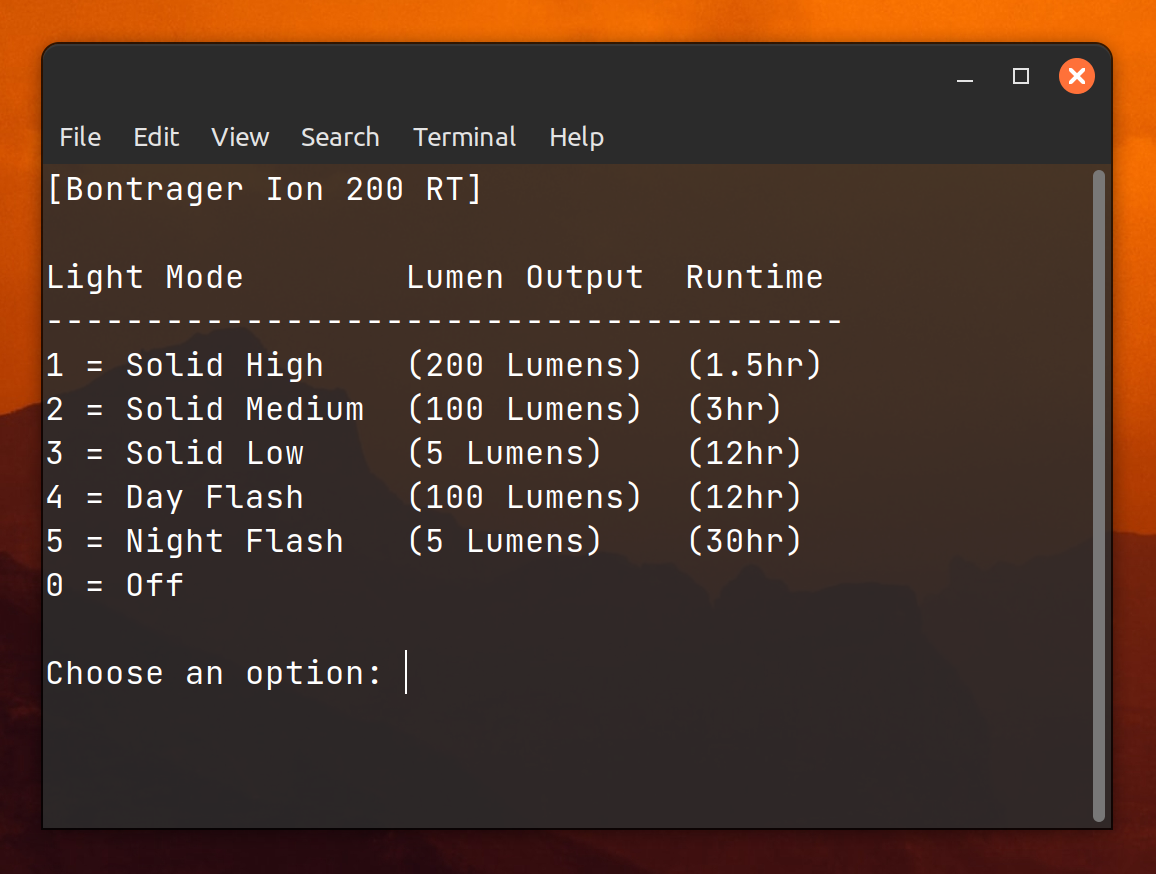
When I started this little project, I had no idea what I was doing, having never used Bluetooth on Linux or bluetoothctl. This endeavour was a learning experience, and using this new knowledge, I put together a BASH script that lets me effortlessly control my bike lights.
Next steps #
I also have a Bontrager DuoTrap S Digital Sensor that uses Bluetooth ANT+. It tracks the speed and cadence of my bicycle rides, so I may be able to use my phone to detect when my bike is moving and have it automatically switch on the lights. I might look into that in the future.
Why not try something similar? #
If you attempt this, why not add a battery indicator to your script or app? Let me know if you plan on making an Android app, and I’ll gladly test it and provide feedback.
Regardless of whether you have these lights, I’m sure you have some unassuming Bluetooth device collecting dust that could become a device you use daily or integrate well with your own script, app, or system. Good luck!
Data table #
The following are the supported modes of each light and the value that activates them.
The Bluetooth attribute is 71261001-3692-ae93-e711-472ba41689c9 for both lights.
-
Bontrager Ion 200 RT
Mode Value Off 0x00Solid High 0x01Solid Medium 0x02Solid Low 0x05Day Flash 0x3fNight Flash 0x3e -
Bontrager Flare RT
Mode Value Off 0x00Day Steady 0x01Night Steady 0x05Day Flash 0x07All-Day Flash 0x08Night Flash 0x3f